Breaking Up With Your Old Laptop? Do These 3 Things First

BREAKING UP WITH AN OLD LAPTOP CAN BE HARD
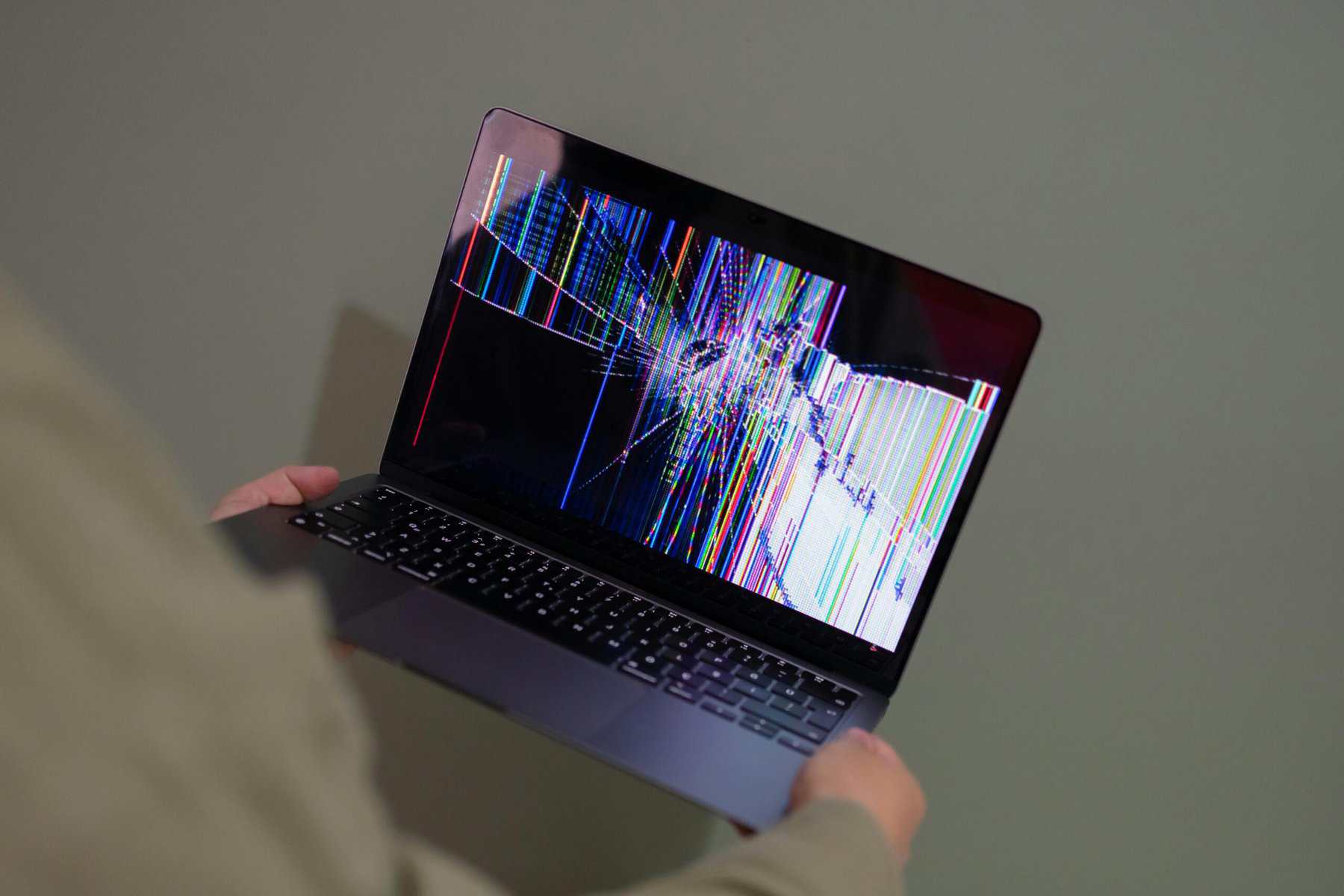
So you’re finally ready to say goodbye to that cracked, sticky-keyed laptop that’s been collecting dust in the closet since JNCO jeans. Good for you. But hold up, wait a minute: it can’t just go out with the Tuesday trash, get pawned off on your cousin, or end up on a folding table at a yard sale. Never that.
Alas…Knowing what to do before recycling a laptop is important, especially when that old machine is a treasure chest and a hazmat kit rolled into one, with your tax returns, saved passwords and (let’s be honest) your embarrassing browser history along for the ride.
A few proverbial boxes need checking before you two part ways.
Lucky for you, we’ve boiled it down to three questions: Is it actually dead? Is your data actually gone? Is your recycler actually legit? Nail those and you’re as golden as Ponyboy.
Vamonos!
Step 1: Before Laptop Recycling, Can You Repair or Reuse It?

TAP INTO YOUR INNER EMERSON AND RELYING ON YOURSELF TO TRY AND REPAIR THAT LAPTOP
Before you go full funeral mode, take a knee. Plenty of laptops that feel like they’re running on a hamster wheel just need a little tender, love and care.
Repair Your Old Laptop Before Recycling
If it still powers on and limps through basic tasks, even if butt-slow, try this first:
Ditch the old hard drive for an SSD.
Seriously, this one relatively inexpensive swap can make a tired old laptop feel like it just came out of the box. Super clutch.
Bump up the RAM.
Mo’ money, mo’ problems — but mo’ memory? Mo’ tabs, mo’ multitasking, and way less quality time with the spinning wheel of death. Just check that your laptop supports an upgrade first.
Evict the dust bunnies.
Kick ’em out. Sometimes your laptop’s crawling because it’s cooking itself. Carefully clean out the vents and fans with compressed air, following the manufacturer’s instructions, and let it breathe. You’ll be suprised how often this makes a difference.
Fixing beats recycling, always. You save money, it’s better for the planet, so if you can swing it, please do so, by all means.
Donate Your Old Laptop

DONATE YOUR OLD LAPTOPS
Laptop works fine but you’re just over it? Somebody out there isn’t. Schools, libraries and nonprofits may accept working computers, and organizations like Computers with Causes and the National Cristina Foundation can help connect usable technology with people and organizations that need it. Check their current acceptance requirements first.
Call it paying it forward. (Yes, a recycler telling you to donate first. What can I say? My hearts beats true and honest.)
Just make sure your personal information is securely erased before handing it over.
Repurpose Your Old Laptop
Time to tap into the creative side of your brain. Even a banged-up laptop can pull a second shift, maybe even a third:
- A home media center for streaming your music and movies
- A kid-friendly computer stacked with educational apps and games, provided it can still receive necessary security updates
- A parts donor for DIY projects, coding experiments, home security monitoring, whatever
None of that doing it for you? Well, then, let’s keep moving. It’s time to recycle that bad boy.
Step 2: How to Wipe Your Laptop Before Recycling
HOW TO WIPE YOUR HARD DRIVE
Okay, listen up, because this is the big one. Non-negotiable, slim. Even if your laptop is broken to hell and won’t so much as blink, everything on that drive may still be recoverable by someone with the right tools (and way too much free time).
So before it goes anywhere, scrub it clean.
Save the stuff you actually want.
Documents, photos, the videos you can’t live without — dump it all onto an external drive or into the cloud. Make sure your backup works before erasing anything. Once your data is securely destroyed, it’s gone gone.
Log out of literally everything.
Email, social media, cloud storage, streaming services, the works. Then deauthorize the machine from services that cap how many devices you get, like Apple Music or Adobe. You’ll thank yourself later.
Factory reset that sucker.
If it still boots, start with the operating system’s built-in reset or erase options:
Windows 11:
Settings > System > Recovery > Reset this PC. Select “Remove everything” and review the additional drive-cleaning options.
Windows 10:
Settings > Update & Security > Recovery > Reset this PC. Select “Remove everything” and review the available cleaning options.
Mac:
On supported Macs, use Erase All Content and Settings. For older Macs, use macOS Recovery and Disk Utility, following Apple’s instructions for your specific model.
Chromebook:
Use the Powerwash feature to reset the device, following Google’s instructions for your Chromebook.
Keep in mind that a factory reset isn’t always the same as verified data sanitization, especially when sensitive information is involved.
Use the right data-wiping method.

WIPING HARD DRIVES WITH DBAN
If you’re the cautious type — and you should be — or there’s sensitive stuff on there, consider a more thorough approach. Secure data sanitization depends on the type of storage device you’re dealing with.
Our DBAN Download: How It Works tutorial walks you through one option for traditional magnetic hard drives. (Heads up: DBAN isn’t designed to securely erase SSDs. For those, use an appropriate manufacturer-supported sanitization method or seek professional help.)
For organizations handling confidential information, professional data sanitization following applicable guidance such as NIST SP 800-88 Rev. 2 is worth considering.
Shred it or degauss it.
Want maximum peace of mind? Have the storage device professionally destroyed. Physical shredding can render properly processed HDDs and SSDs unusable, while degaussing is an option for compatible magnetic hard drives — not SSDs.
Nobody’s recovering files from a drive that’s been properly destroyed.
Step 3: Choose a Certified Laptop Recycling Company

CERTIFIED DATA DESTRUCTION
Data’s locked down and you’ve made the call. Bravo. Now for the fun part: finding somebody who’ll actually handle the thing right, instead of tossing it in the back of a pickup and calling it a day.
A great place to start? Certified electronics recycling companies like eAsset Solutions.
Keep an eye out for R2v3 (Responsible Recycling) or e-Stewards certification. These certifications establish requirements for responsible electronics recycling practices, including environmental protection, material handling, and data security.
A responsible laptop recycler should be able to explain how it handles:
- Recovering the good stuff — valuable materials like gold, copper and silver that can be recovered and put back to work
- Handling hazardous materials safely — including batteries and other components that require special care
- Playing it ethical — managing downstream recycling responsibly instead of shipping hazardous e-waste somewhere it can become somebody else’s problem
- Protecting your data — through appropriate sanitization or destruction procedures suited to the storage devices involved
And don’t walk away empty-handed if documentation matters to you. Ask whether the recycler provides a Certificate of Data Destruction and a Certificate of Recycling, and stash them with your records.
Not every recycling drop-off program offers these documents, so confirm what’s included before handing over your equipment.
Where Can You Recycle an Old Laptop?

ELECTRONICS WE ACCEPT FOR FREE RECYCLING
Wondering where to recycle your old laptop? You’ve got options.
Depending on where you live, electronics recycling centers, municipal e-waste collection programs, and certified laptop recycling companies may accept everything from working computers to laptops that haven’t powered on since the Obama administration.
But here’s the catch: not every recycling program offers secure data destruction, and not every drop-off location accepts every kind of laptop.
Before handing yours over, confirm that the recycler accepts laptops, handles lithium-ion batteries safely, and can provide documentation of data destruction if you need it.
And if you’re recycling multiple laptops from a business, ask about scheduled pickups, serialized asset tracking, and certificates of data destruction. A reputable IT asset disposition provider can help take care of the entire process.
Why Is Laptop Recycling Important?

HELP SAVE THE PLANET
Because a laptop isn’t an apple core. You can’t just chuck it in the trash and call it a day. (Actually, depending on where you live, you might legally be prohibited from doing so.)
Every laptop is packed with valuable stuff — gold, copper, silver — that can be recovered and put back to work. It’s also loaded with components and materials that can harm the environment when they’re handled wrong.
Recycle it properly and you conserve resources while helping keep hazardous materials out of landfills and the environment.
And here’s the part that’ll help you sleep at night: choosing a certified recycler that offers secure data destruction helps ensure some weirdo won’t be scrolling through your personal files.
Not a bad deal for checking a few boxes.
Your Laptop Recycling Checklist
Before recycling an old laptop, run through these three questions one last time.
Is it done?
- Tried a repair or upgrade
- Considered donating
- Considered repurposing
Is your data gone?
- Backed up what you need
- Signed out and deauthorized
- Used the appropriate reset or erase procedure
- Confirmed that sensitive data was securely sanitized or destroyed
- Arranged professional drive destruction if necessary
Hmm…Is the recycler legit?
- Verified R2v3 or e-Stewards certification
- Confirmed the recycler accepts your laptop
- Asked about secure data destruction
- Requested recycling and destruction certificates if needed
Ready to Recycle Your Old Laptop?

EASSET SOLUTIONS
So there you have it. Those proverbial boxes? Consider them checked.
Look, we won’t play favorites here. Repair it, donate it, repurpose it, or recycle it through certified channels — that’s all we’re saying. Just don’t toss it in the trash or hand it off to some random stranger without protecting your personal information first.
Every small effort adds up, and choosing sustainability today goes a long way toward a greener, cleaner tomorrow.
Ready to finally let it go? Whether you’ve got one old laptop or an office full of them, eAsset Solutions can help you recycle your electronics responsibly and keep your data out of the wrong hands.
Contact us to learn more about our laptop recycling and secure data destruction services!
MORE INSIGHTS